VRC ボトルスピンゲーム (VRC Spin the Bottle Game)
- ダウンロード商品Lite Version¥ 1,600
- ダウンロード商品Standard Version¥ 3,200
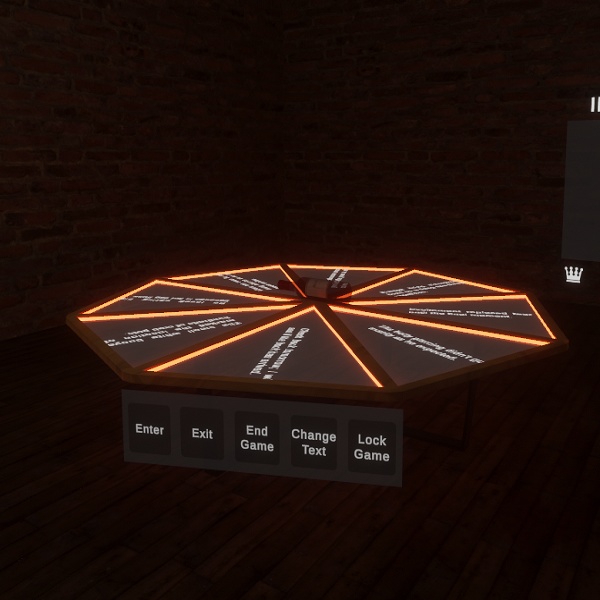
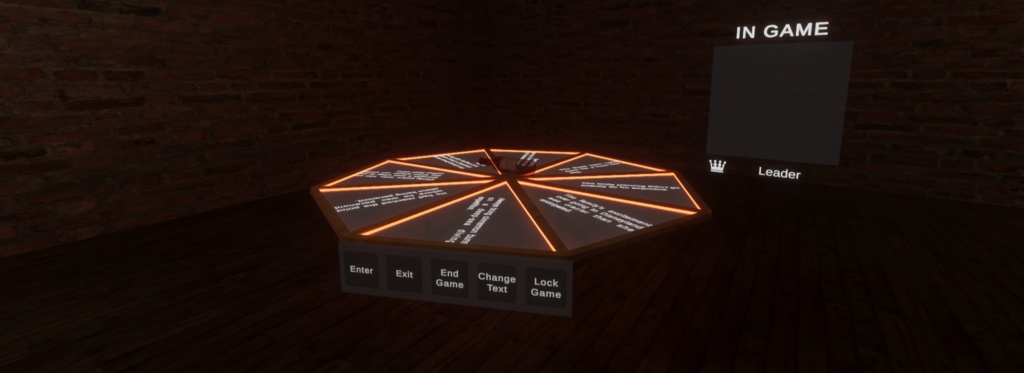
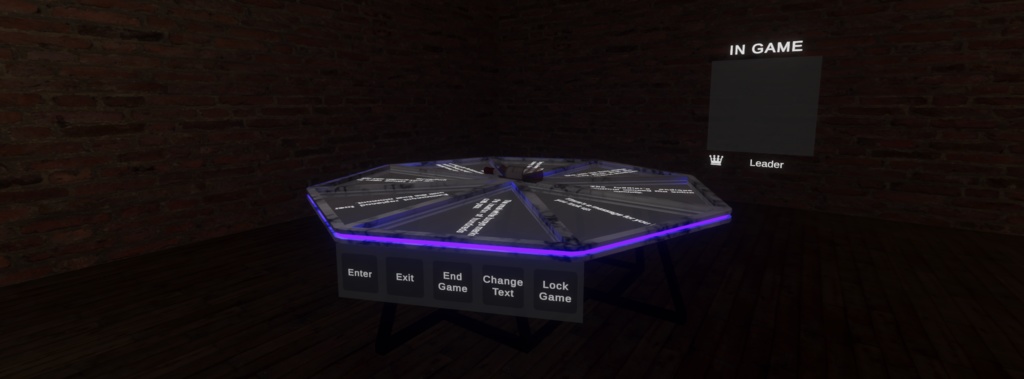
🇯🇵 ボトルスピンゲーム これは、プレイヤーがボトルを回し、その周りに配置されたランダムな文章の上で止まるVRChatワールドアセットです。ボトルの回転が止まると、選ばれた文章がテーブルの上に表示されます。真実か挑戦(Truth or Dare)などのパーティーゲーム向けに設計されています。 このアセットは、用途に応じて2種類のバージョンからお選びいただけます。 ----------------------------------------------- 🇬🇧 Spin the Bottle Game This is a VRChat world asset where players spin a bottle that lands on a random sentence placed around it. Once the bottle stops spinning, the selected sentence is displayed on top of the table. It is designed for party games such as truth or dare. The asset is available in two different versions depending on your needs.
ライト版 (Lite Version)
🇯🇵 ライト版 ライト版には、ゲームを動かすためのコアなゲームメカニクスと必要なスクリプトが含まれています。 コアメカニクス プレイヤーはボトルを回して、ランダムな文章を選び表示させることができます。 Pastebin連携 文章は、ワールド作者が作成したカスタムPastebin URLから読み込まれます。 カスタム更新間隔 システムは設定した時間間隔で自動的にPastebinのテキストを再取得するため、VRChatワールドを再アップロードすることなくゲームの文章を更新できます。 ----------------------------------------------- 🇬🇧 Lite Version The Lite version includes the core game mechanics and the required scripts to run the game. Core Mechanics Players can spin the bottle to select and display a random sentence. Pastebin Integration Sentences are populated using a custom Pastebin URL created by the world author. Custom Refresh Interval The system automatically re-fetches the Pastebin text based on a time interval you configure, allowing you to update the game's sentences without re-uploading your VRChat world.
ノーマル版 (Normal Version)
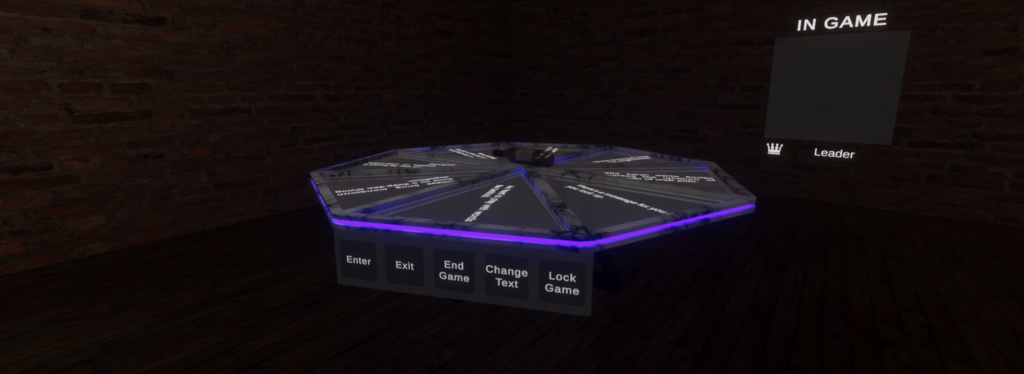
🇯🇵 ノーマル版 ノーマル版には、ライト版のすべての機能に加え、プレイヤー管理機能とメニューシステムが含まれています。 ゲームメニュー プレイヤーはボトルを操作する前に、UIメニューから明示的にゲームに参加する必要があります。このメニューからゲームを退出することもできます。 プレイヤーボード 現在ゲームに参加している全プレイヤーを一覧表示し、ゲームオーナーを識別する表示ボードです。 ゲームオーナー制度 最初にメニューを操作してゲームに参加したプレイヤーが、ゲームオーナーに指定されます。 オーナー権限 ゲームオーナーはセッションを管理するための専用メニューにアクセスできます。ゲームをロックして他のプレイヤーの参加を防いだり、ゲームを終了(全プレイヤーをキックしゲーム状態をリセット)したり、テーブルに表示中の文章を変更したりできます。 ----------------------------------------------- 🇬🇧 Normal Version The Normal version includes everything from the Lite version, plus a player management and menu system. Game Menu Players must explicitly enter the game via a UI menu before they can interact with the bottle. They can also use this menu to exit the game. Player Board A display board that lists all players currently in the game and identifies the Game Owner. Game Owner System The first player to interact with the menu and enter the game is designated as the Game Owner. Owner Controls The Game Owner has exclusive menu access to manage the session. They can lock the game to prevent anyone else from joining, end the game (which kicks all players and resets the game state), and change the sentences currently displayed on the table.
モデル&アセット (Models & Assets)
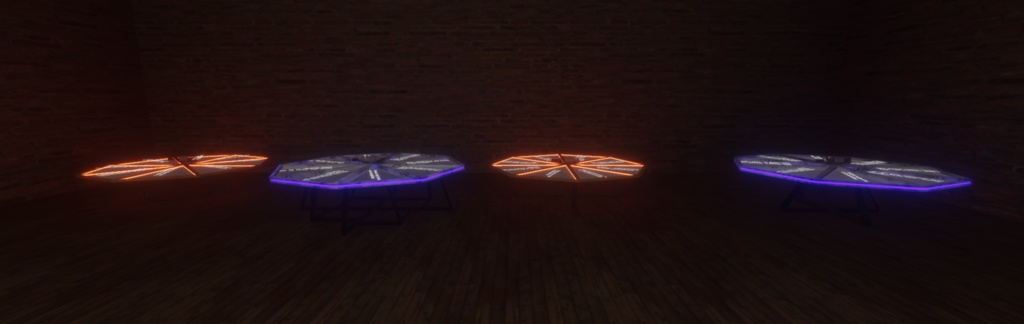
🇯🇵 モデル&アセット すべての3Dモデルとテクスチャは、このプロジェクトのために特別に制作されたオリジナルです。 同梱アセット: ボトル×1 テーブル台座×2 テーブル脚×4 あなたのワールド向けにカスタムテーブルデザインをご希望の場合は、お気軽にご連絡ください。コミッション(制作依頼)やパーソナライズ版も承っております。 ----------------------------------------------- 🇬🇧 Models & Assets All 3D models and textures were custom made specifically for this project. Included assets: One bottle Two table bases Four table legs If you'd like a custom table design for your world, feel free to contact me — I'm open to commissions and personalized versions.
重要な購入に関する注意事項 (IMPORTANT PURCHASE WARNING)
🇯🇵 重要な購入に関する注意事項 購入時にダウンロードされる .unitypackage には、アセットファイルが直接含まれていませんのでご注意ください。代わりに、CrZVRC License Manager が含まれています。 Boothではライセンスキーが自動生成されないため、アセットをダウンロードするには以下の手順を行っていただく必要があります。 公式Discordサーバーに参加し、サポートチケットを開いてください。 購入証明(Boothの購入履歴など)を提示してください。 確認が完了次第、あなた専用のライセンスキーを発行します。 キーを受け取った後は、Unity内のLicense Managerを使用してアセットをダウンロード・インストールしてください。License Managerの使用方法についての詳しい手順は、こちらをご覧ください: https://docs.crzvrc.com/docs/documentation/licence ----------------------------------------------- 🇬🇧 IMPORTANT PURCHASE WARNING Please note that the .unitypackage you download upon purchase does not contain the asset files directly. Instead, it contains the CrZVRC License Manager. Because Booth does not automatically generate license keys, you must complete the following steps to download your asset: Join our official Discord server and open a support ticket. Provide your proof of purchase (such as your Booth receipt). Once verified, you will be provided with your personal license key. After receiving your key, you must use the License Manager inside Unity to download and install your asset. Detailed instructions on how to use the License Manager can be found here: https://docs.crzvrc.com/docs/documentation/licence
ドキュメント&セットアップ (Documentation & Setup)
🇯🇵 ドキュメント&セットアップ このアセットのセットアップおよび設定方法についての詳しい手順は、公式ドキュメントサイトに掲載されています。 https://docs.crzvrc.com ----------------------------------------------- 🇬🇧 Documentation & Setup Detailed instructions for setting up and configuring this asset can be found on the official documentation website. https://docs.crzvrc.com
利用規約&プライバシーポリシー (Terms of Service & Privacy Policy)
🇯🇵 利用規約&プライバシーポリシー このアセットを購入・ダウンロードすることにより、当方の利用規約およびプライバシーポリシーに同意したものとみなされます。 両方の全文は以下のウェブサイトでご確認いただけます:https://docs.crzvrc.com/docs/documentation/licence ----------------------------------------------- 🇬🇧 Terms of Service & Privacy Policy By purchasing and downloading this asset, you agree to our Terms of Service and Privacy Policy. You can read both full documents on the website: https://docs.crzvrc.com/docs/documentation/licence
サポート&お問い合わせ (Support & Communication)
🇯🇵 サポート&お問い合わせ 技術的なサポート、不具合報告、その他一般的なお問い合わせは、すべて公式Discordサーバーにて対応しております。 Discordサーバーはこちらから参加できます:https://discord.com/invite/3W7h3Bp3mH ----------------------------------------------- 🇬🇧 Support & Communication All technical support, bug reports, and general communications are handled exclusively through our official Discord server. Join the Discord server here: https://discord.com/invite/3W7h3Bp3mH